
Molly Workshop
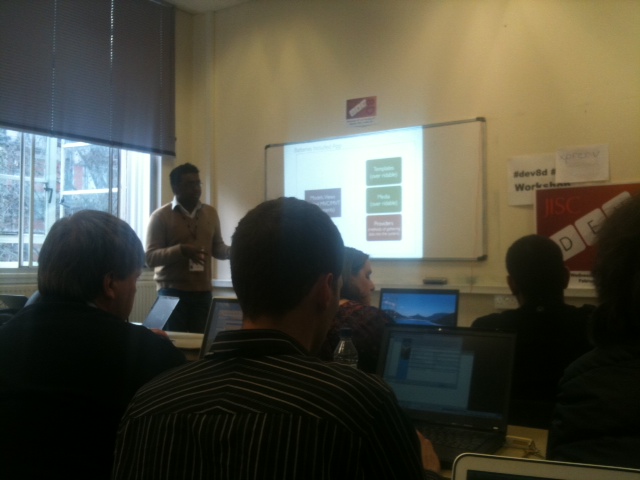 Tim Fernando and his team introduced Molly, explained the structure and discussed customisation options in this interactive session.
Participants were provided with a choice of hypervisors with Molly pre-installed to enable them to play with the software. Fernando gave a bit of background to the project whilst these were busy installing.
He discussed the reasons for embarking upon the Molly project in the first place. When they began, the popular alternatives cost money and the commercial offerings suffered from extreme vendor lock-ins. The only open source option at the time was MIT Mobile Web, which was very much tailored for MIT and really only consisted as a code dump, so this was not a fantastic solution. They also had a debate regarding native and mobile web, regarding native mobile applications as the least sustainable route. They were given funding from JISC to research in this area.
He went on to discuss the different features from the user perspective, including Places, which uses Open Street Maps, their institutional geo location data, and data from the Department of Transport; Contacts, via LDAP; Library Searching, using Z39.50 and Open Street Maps to allow location-specific searches; Universal Search; a URL shortener, which shortens valid links on the site; and QR codes.
He moved on to discuss the core apps and “Batteries Included” apps that make up a Molly Instance. The latter tend to be the user-facing apps, whilst the core apps include items like authorisation. He noted that most frameworks do not consider the HTML call to the code, but Molly does, which makes it easier to customise for different institutions.
He concluded by explaining some of the convenience features, such as a public feedback/feature voting system, automatic OSM contributor, and device awareness. He acknowledged that UA detection tends to be a “dirty phrase”, but that it is the best solution available at the moment to enable them to target devices differently.
Once all of the participants had loaded up Molly within a virtual machine, Chris Northwood explained the features and demonstrated how to create clean deployment directories to keep versions separate. Participants were then able to explore the system and ask practical questions about how to customise it for their own institutions and how to tap into different APIs to populate the site.
Related Posts
Tags
Share This





Recent Comments